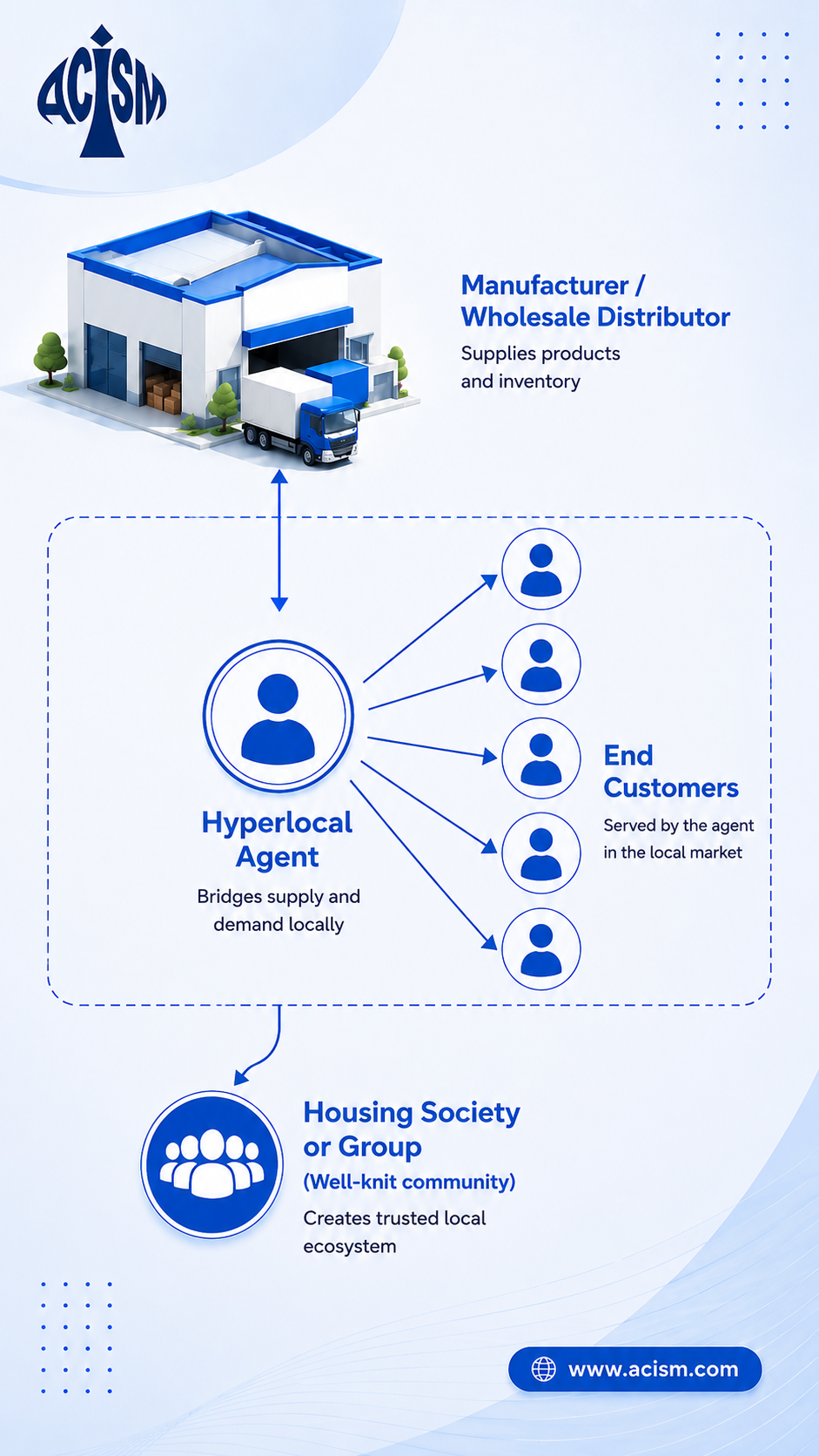
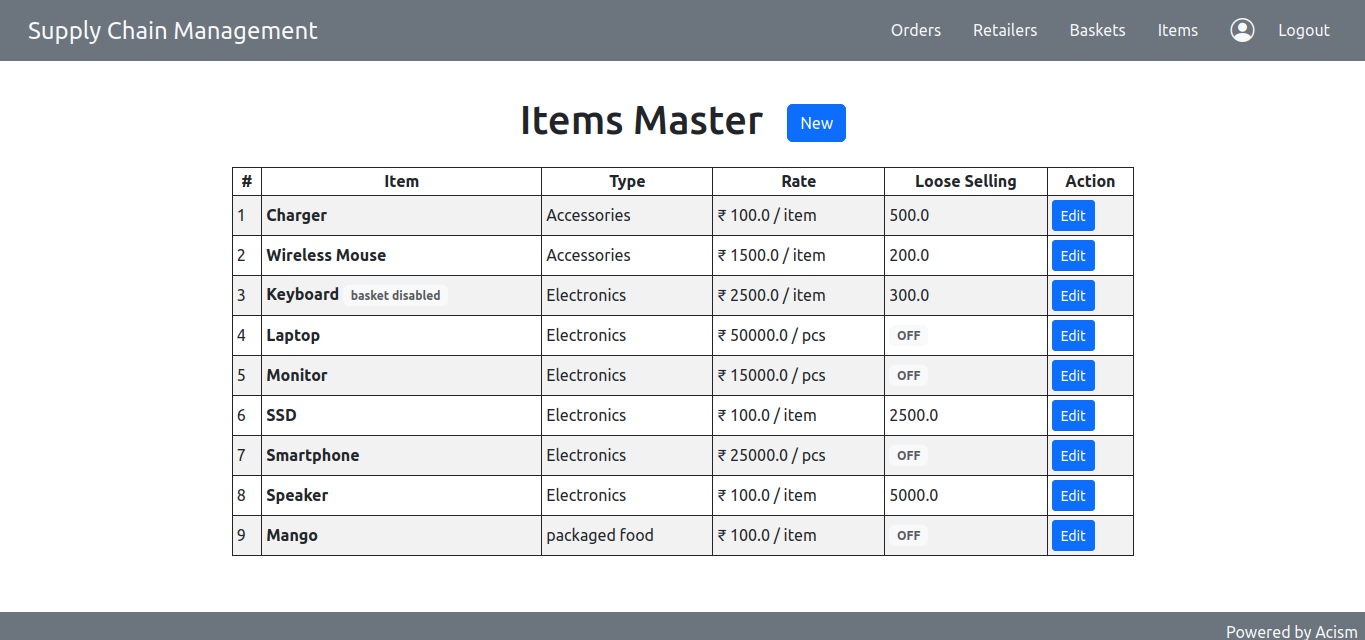
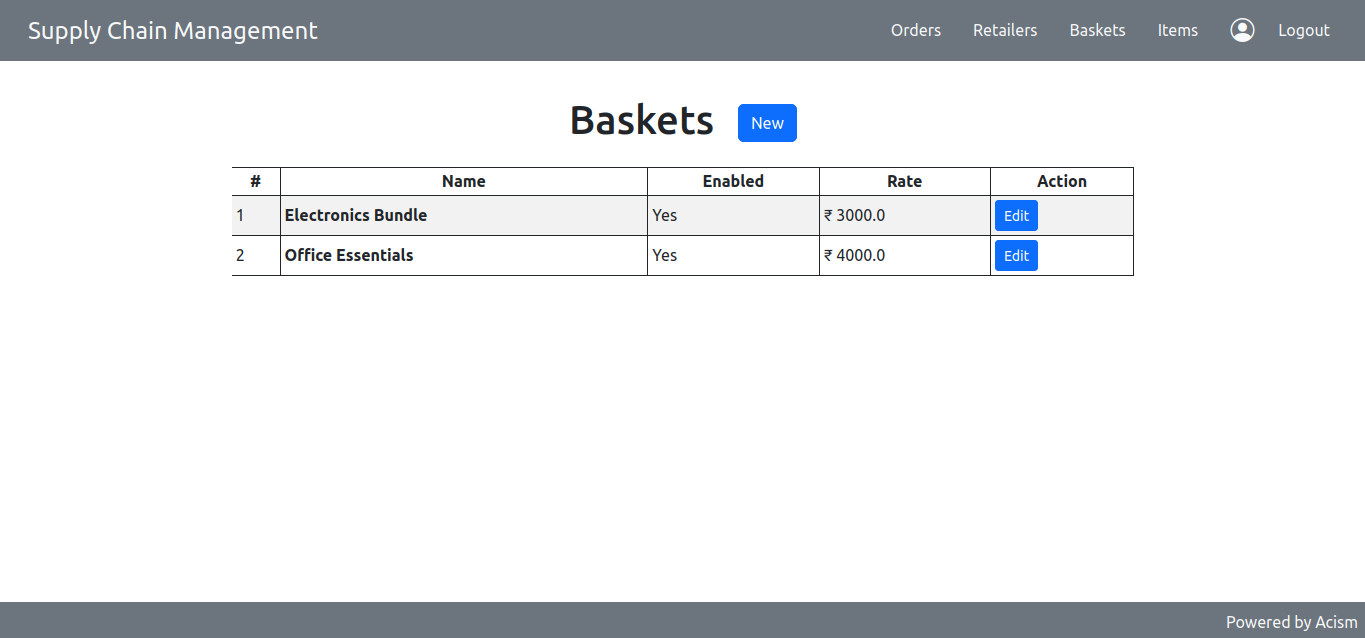
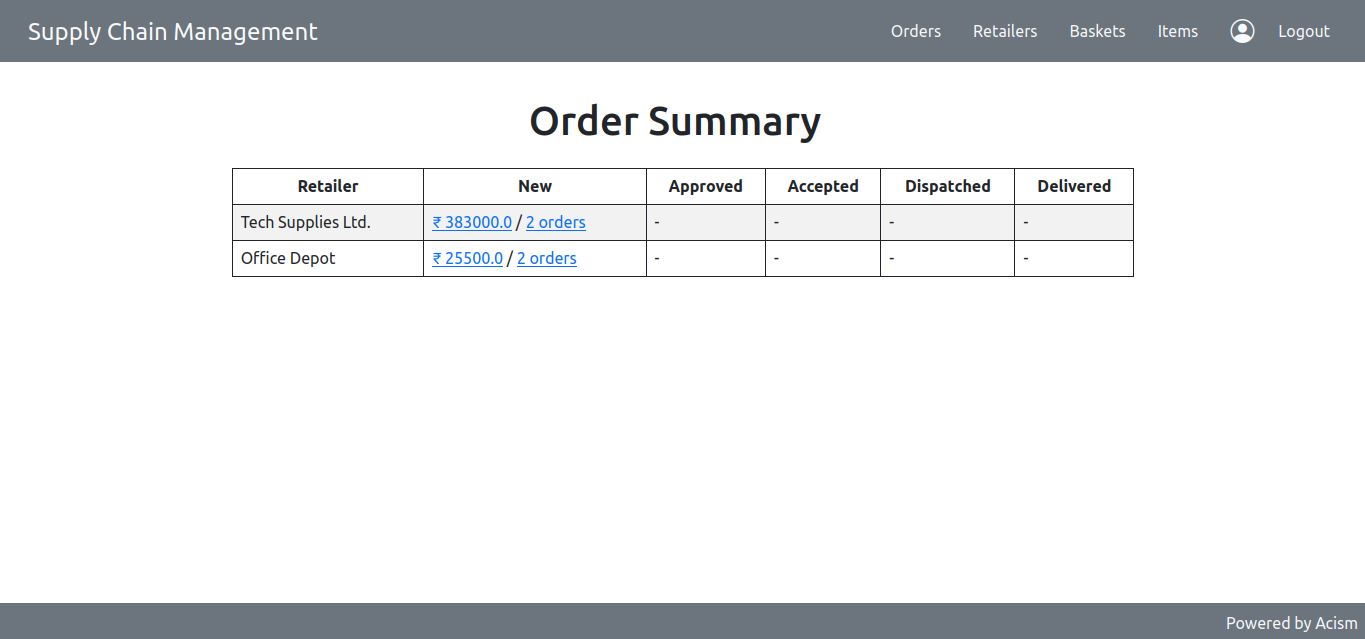
A supply management platform built for vendors who serve communities via agents — housing societies or groups — without asking the a single community member to create an account. These agents are small retailers who have a trust-based connections among their hyperlocal communities.
SupplyChain helps community businesses sell a wide variety of products through trusted retailers and local networks.
Mangoes, Apples, Oranges, Grapes and more.
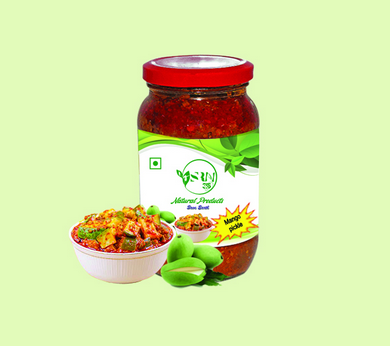
Pickles, Papad, Masalas, Snacks and Homemade Foods.
Ganpati Idols, Decorative Items and Handmade Gifts.
Kanchivaram, Banarasi, Paithani, Silk and Cotton Sarees.
Farm fresh vegetables supplied through local vendors.
Rice, Flour, Pulses, Oil, Sugar and Daily Essentials.
Cakes, Cookies, Breads and Fresh Bakery Items.
Candles, Soaps, Home Decor, Jewellery and Gift Items.
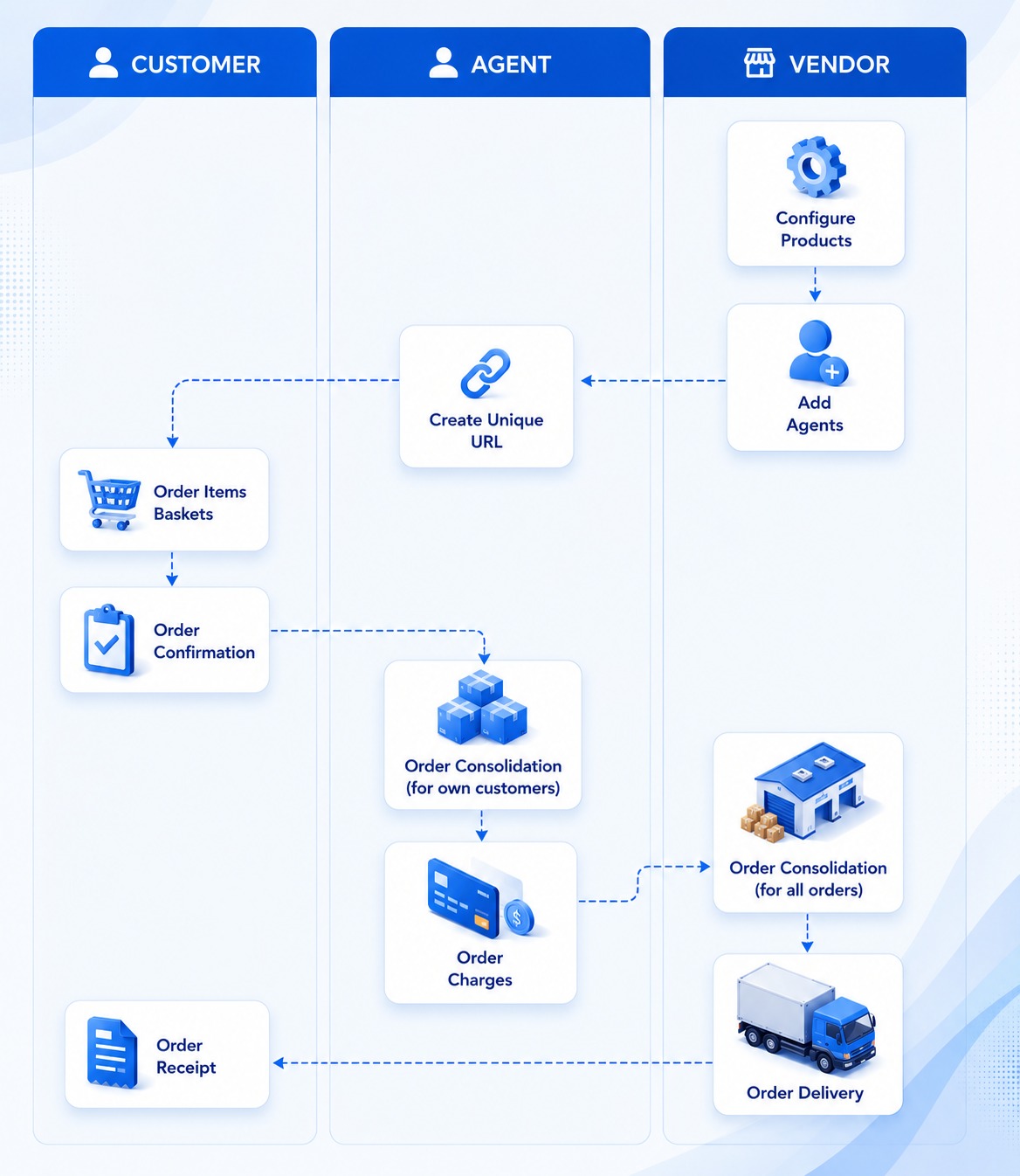
Every extra step between placing an order and completing it can result in lost business. SupplyChain removes unnecessary barriers by allowing customers to place orders instantly through a unique retailer link—without creating an account or installing an application.
Each retailer shares a unique ordering link with their community members.
Customers can access the order form instantly without registration or login.
Members can order baskets or individual items from a single ordering page.
Minimum order values are automatically validated before submission.
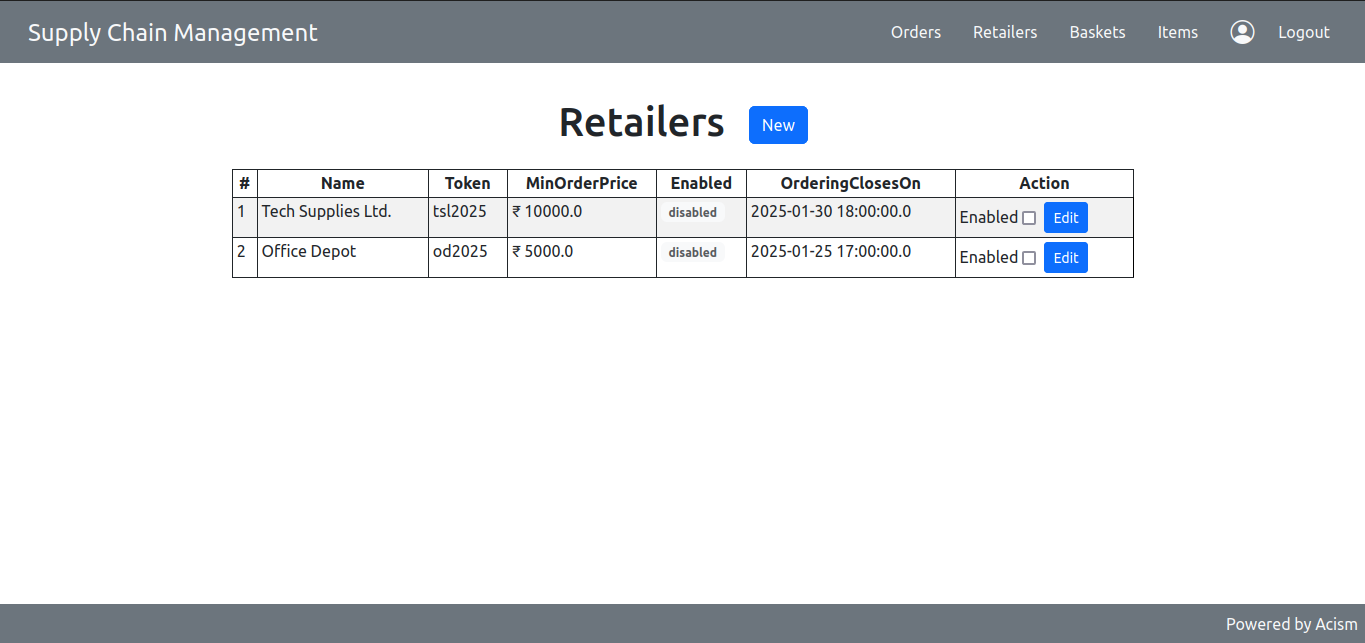
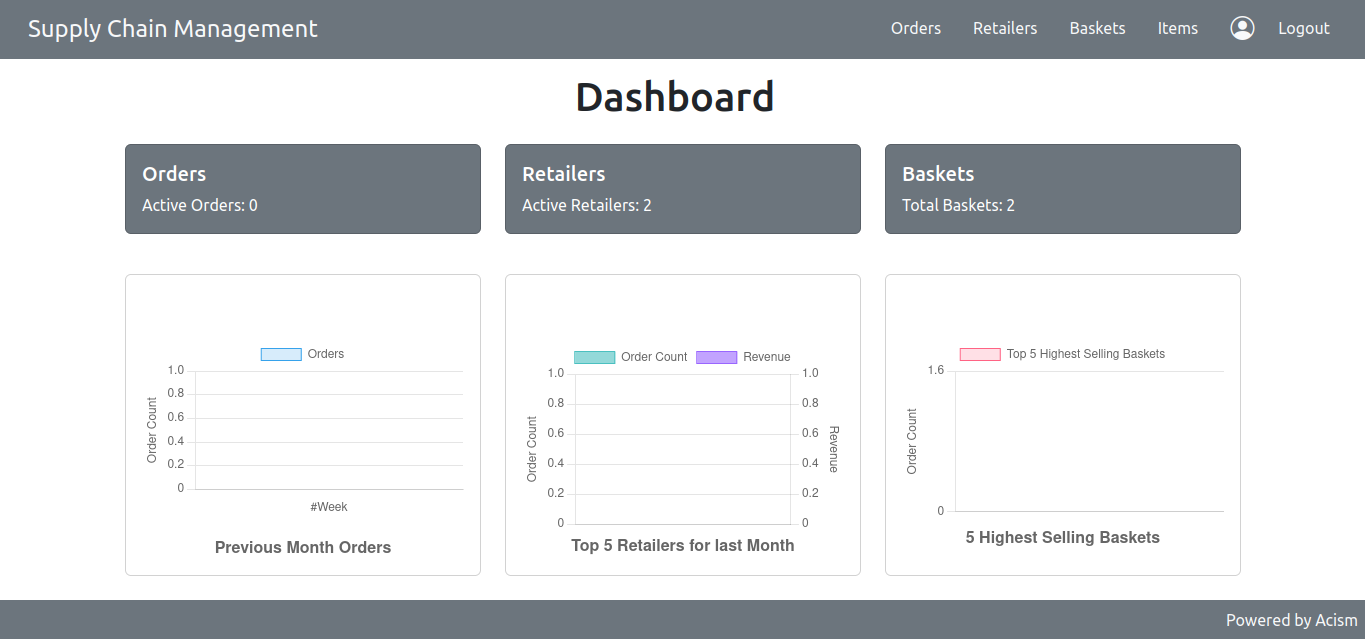
Vendors manage retailers, products, baskets, and orders from one centralized dashboard.
Built to simplify ordering for communities while giving vendors complete control over retailers, products, baskets, and orders.
Customers can place orders without creating an account.
Each retailer receives a unique ordering link for their community.
Customers can purchase baskets or individual products.
Order value is automatically checked before submission.
Orders progress through each stage until delivery.
SupplyChain connects vendors, community agents, and customers through a simple ordering process that requires no customer registration.
Explore the core modules that help vendors manage retailers, products, baskets, and orders from one centralized platform.
Monitor retailers, baskets, and order activity from one dashboard.
Create retailers, configure ordering settings, and generate unique ordering links.
Maintain products, pricing, units, and availability for ordering.
Create bundled baskets with multiple products and fixed pricing.
Track every order through its complete processing lifecycle.
Follow these simple steps to install and configure SupplyChain on your server. The application automatically creates the required database schema during the first login.
Before installing SupplyChain, make sure the following software is installed.
Download the latest SupplyChain WAR package from the Downloads section above.
Create a new MySQL database using the following credentials.
Copy the downloaded WAR file into the webapps directory of your Apache Tomcat installation.
If Tomcat is already running, stop it using the shutdown script and then start it again.
Open the application in your browser and sign in using the default administrator account.
Everything you need to deploy and start using SupplyChain.
Deploy SupplyChain on Apache Tomcat.
Find answers to common questions about SupplyChain.